Open a million rows
in a blink.
CEESVEE is a fast, faithful CSV & delimited-file editor. Open huge files instantly, edit them like a spreadsheet, and save them back — your delimiters, encoding, and quoting preserved, exactly.
v0.5.0EXE installer7.6 MBall platforms
rows, scrolled smoothly
files open in a blink
telemetry or trackers
free & open forever
Everything a CSV deserves. Nothing it doesn't.
Built around one priority: be fast and faithful on large, real-world delimited files.
Fast on huge files —
by design, not by luck.
The dataset lives in Rust; the UI is canvas-rendered and only ever fetches the rows it is about to draw. Opening and smoothly scrolling a 1,000,000-row, 100 MB+ file is a core requirement here — not a stretch goal.
Faithful round-trips
Parse → edit → save preserves your data. You control delimiter, encoding, quoting, line endings, and BOM on export — no silent reformatting.
Keyboard-first
Excel-style navigation and shortcuts so it feels instantly familiar. Your hands never have to leave the keys.
Auto-detect, always right
Delimiter (comma, tab, semicolon, pipe) and encoding (UTF-8, UTF-16, Windows-1252) detected automatically — with manual overrides and correct BOM handling.
Find & replace, regex too
Plain text or full regular expressions, scoped to a selection or the whole file. Search a million rows without breaking a sweat.
Multi-column sort
Sort ascending or descending across multiple keys at once — stable, predictable, and reversible.
Undo / redo, deep
A Rust-backed command stack means Ctrl+Z and Ctrl+Y just work — even a paste lands as a single, reversible step.
Live selection stats
Select a range and the status bar shows count, sum, average, min, and max instantly — quick answers without a formula.
Tabs & recent files
Open many files at once in tabs, jump back through your recent-files list, and keep a frozen header row in view.
Light & dark themes
A restrained, dense-but-readable interface that follows your OS appearance preference automatically.
File associations
Set CEESVEE as the default for .csv / .tsv / .tab / .psv, or right-click → Open with. A second file opens as a new tab, not a new window.
Open, edit, save. That's the whole story.
No import wizards, no upload, no cloud. Just a fast desktop app that respects your files.
Open anything
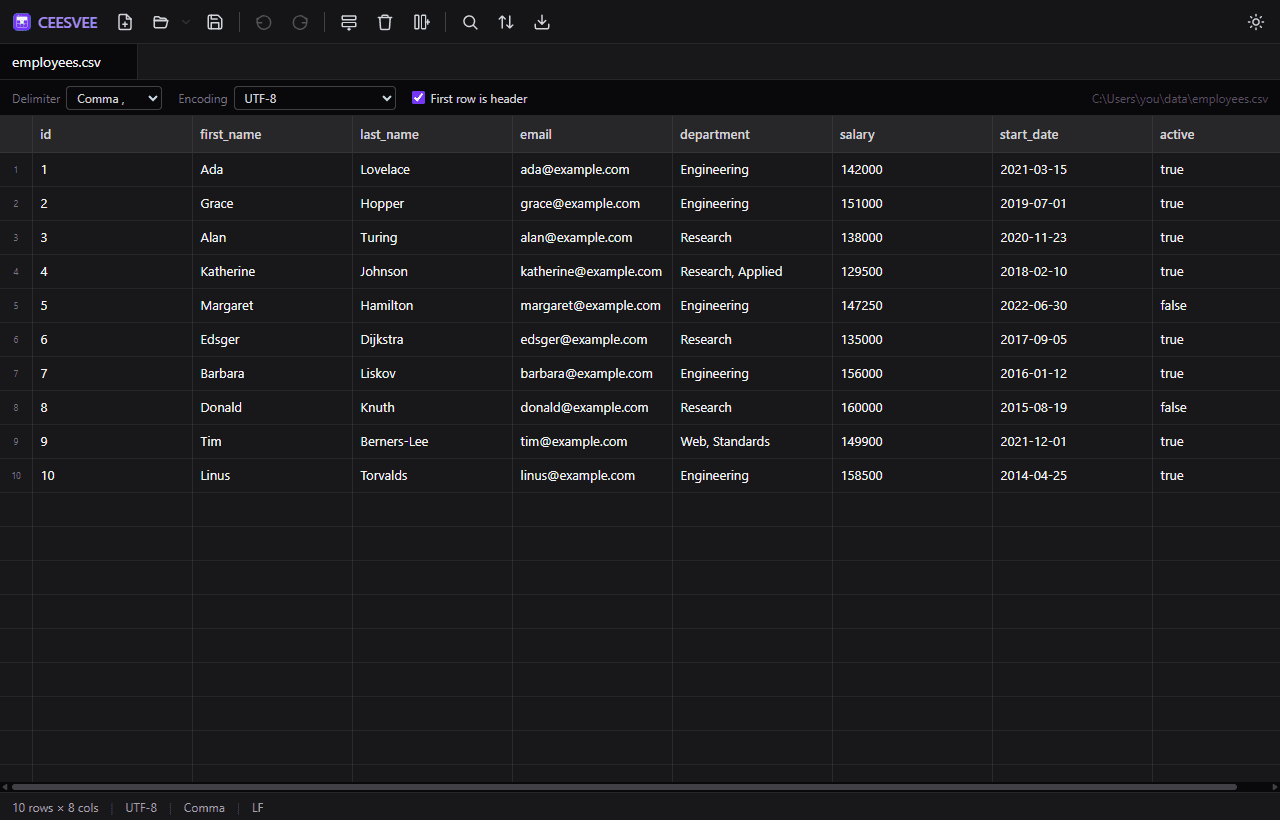
Drop in a CSV, TSV, or any delimited file. CEESVEE auto-detects the delimiter and encoding — and hands you the override if it ever guesses wrong.
Edit like a spreadsheet
Inline cell editing, multi-cell selection, Excel-compatible copy/paste, insert and reorder rows and columns, sort, find & replace — all keyboard-first.
Save without surprises
Save or Save As with explicit export options: delimiter, encoding, quoting style, line endings, and BOM. What you meant is what you get.
Built so big files feel small.
A powerful engine holds your file
Your whole file is loaded into a fast, careful engine that keeps track of every change you make. Nothing touches the original file until you hit save.
The screen stays light
Only the rows you can actually see get drawn on screen. That's why scrolling through a million rows feels like scrolling through ten.
No freezing, no spinners
Opening and reading files happens in the background, so the app stays responsive — even on a 100 MB+ file.
What you see
A smooth spreadsheet view that draws only the rows on screen
The engine
Built in Rust · holds your whole file · remembers every change
Free for every desktop you use.
Pre-built installers for Windows, macOS, and Linux — straight from GitHub Releases. No account, no payment, no catch.
Windows
Windows 10 & 11
macOS
Apple Silicon & Intel
One universal download — the same DMG runs on Apple Silicon and Intel Macs.
Linux
AppImage & .deb
xattr -dr com.apple.quarantine /Applications/CEESVEE.appPrefer to build it yourself?
All you need is Node 18+ and Rust stable. Installers land in src-tauri/target/release/bundle/.
git clone https://github.com/soldforaloss/ceesvee.git
cd ceesvee
npm install
npm run tauri build
Open source, and proud of it.
CEESVEE is MIT-licensed and built in the open. No tracking, no accounts, no cloud — your data never leaves your machine. Read the code, file an issue, or send a pull request. Contributions are genuinely welcome.
On the roadmap
Issues →- Per-column type detection & summaries
- Filtering / query view
- Frozen (pinned) leading columns
- Drag-and-drop to open files
- Signed & notarized macOS / Windows builds
- Large-file streaming export
Non-goals for v1: formulas, charts, scripting, and cloud sync.
Questions, answered.
Yes — completely free and open source under the MIT license. There's no paid tier, no trial, and no account. Download it, use it, and share it however you like.
Entirely. CEESVEE is a desktop app: your files are opened and edited locally and never uploaded anywhere. There is no telemetry, no analytics, and no network calls with your data.
Opening and smoothly scrolling a 1,000,000-row, 100 MB+ file is a core design requirement. The data lives in a Rust core and the canvas-rendered grid only fetches the rows it's about to draw, so the UI stays responsive on files that choke typical spreadsheet apps.
CSV, TSV, and other delimited files (.csv, .tsv, .tab, .psv and more), with auto-detected delimiters and encodings. CEESVEE runs on Windows, macOS (Apple Silicon + Intel), and Linux.
No — that's the whole point. Parse → edit → save preserves your data, and on export you explicitly control the delimiter, encoding, quoting style, line endings (LF/CRLF), and BOM. What you meant is what gets written.
The macOS builds are currently unsigned and un-notarized (notarization needs a paid Apple Developer account). On first launch, right-click the app and choose Open, or run the xattr command shown in the download section. Signed builds are on the roadmap.
Yes. You can associate .csv / .tsv / .tab / .psv files with CEESVEE, or use right-click → Open with. Opening another file while CEESVEE is running adds a tab instead of launching a second window.